
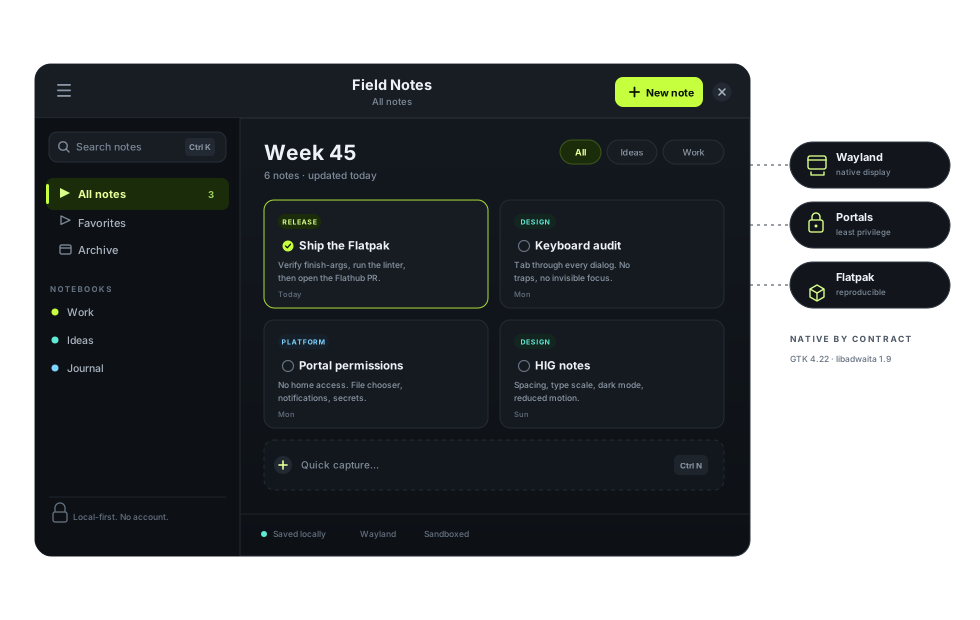
Build Linux apps that feel inevitable.
What makes this guide different
A default for every layer.
Linux gives you open standards, several mature toolkits, and users who expect to stay in control. The guide turns that freedom into a small set of decisions you can defend — not a menu of equivalent options.
Standards are the API
Wayland, XDG, D-Bus, AppStream, and portals are the stable surface shared across the guide’s targets. Learn them once, then use them where the app actually runs.
One target, one default stack
Each reference target has one toolkit, one HIG, and one design contract. Alternatives are documented as trade-offs, not presented as equally supported defaults.
Shipping is part of the design
Flatpak is the cross-target default; Snap, deb, and RPM are the native channels where they fit. Reproducible builds, honest metadata, and a working update path are how trust is earned.
The target model
Linux has no default. This guide does.
A vendor-controlled platform can define one screen, one toolkit, and one store. Linux cannot. This guide closes the gap with a small, evidence-based target set: a distribution, a desktop, a default stack, a design contract, a HIG, and a packaging path for each.
Reference targets
Ubuntu 26.04 LTS + GNOME for GTK/libadwaita, and Fedora 45 KDE + Qt for Qt/Kirigami. Each gets a design contract, a complete development path, and the release criteria.
Validation targets
Fedora Workstation + GNOME and Arch Linux test whether the reference apps survive newer GTK, libadwaita, and Qt. They are validation environments, not support promises.
Compatibility target
Debian 13 keeps the conservative, long-support path visible, with older GTK/Qt libraries and Flatpak for apps that need a newer stack.
The four contracts
Native is a promise, not a theme.
Speed, polish, reliability, and the feeling that an app belongs come from honoring four contracts with the platform.
Display
Render on Wayland. Handle scaling, input methods and screen capture through the compositor — never by reaching around it.
Wayland & display 02Desktop
Follow the primary target’s HIG, and use the host’s widgets, icons, notifications, file dialogs, and settings. Integrate through D-Bus and XDG portals; behave as a guest elsewhere.
System integration 03Data
Store config, state, cache, and user data where XDG says. Write atomically, version the format, and keep the data through crashes and updates.
The XDG contract 04Distribution
Ship a reproducible build with valid AppStream metadata, minimal permissions, and a supported installation and update path.
Packaging & distributionThe development path
From the first useful task to a maintained release.
Choose a target
Ubuntu + GNOME or Fedora + KDE. Pick the environment whose users, design language, toolkit, and support window fit the app.
Platform targets 02Build the core task
Move from an empty window to a task a user would miss. The GTK and Qt chapters cover native widgets, actions, models, and a build that runs on the target.
Choose target and stack 03Make it durable and shippable
Add XDG storage, atomic saves, recovery, desktop integration, packaging, installation, and updates. Verify the release criteria on the declared channel.
Release checklistPick the path that fits.
Understand the platform before the toolkit.
What changes when there is no single vendor — and why that is good news for your app.
Choosing a target?Start with the environment, not the toolkit.
Two reference targets, two validation targets, and one compatibility target — with the evidence behind each choice.
Designing for GNOME?Follow the GNOME design contract.
Navigation, dialogs, feedback, and accessibility decisions for GTK 4 + libadwaita, with the HIG as the reference.
Designing for KDE?Follow the KDE Plasma design contract.
Navigation, toolbars, settings, and status decisions for Qt 6 + Kirigami, with the HIG as the reference.
Ready to ship?Run the release checklist.
Validate the artifact, metadata, permissions, and update path before anyone installs it.
Need the rules?Read the Native Standard.
Ten toolkit-neutral rules, plus the definition of a complete development path.
For agents
The same guide, readable without a browser.
Every page is published as clean Markdown. llms.txt indexes the guide, llms-full.txt contains it in one file, and a read-only local Model Context Protocol (MCP) server exposes the same content for retrieval. Agents can work from the same source as human readers.